


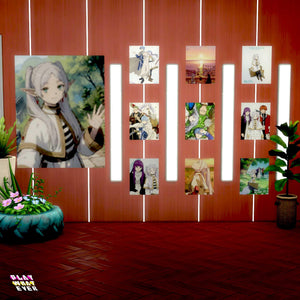
Sims 4 CC Frieren Beyond Journeys End Anime Poster
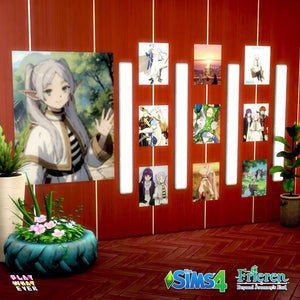
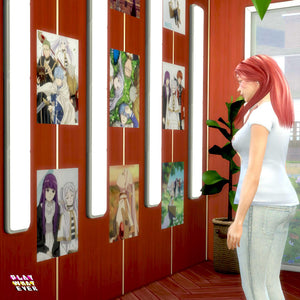
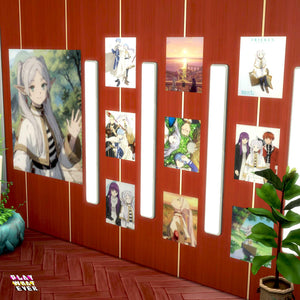
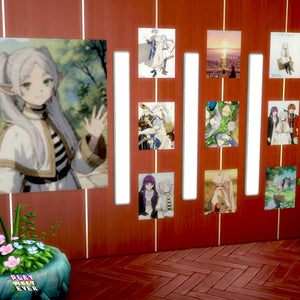
Bring scenes from Frieren: Beyond Journey’s End into your Sims’ home with this free Sims 4 custom-content poster. It includes ten anime images in one in-game item and works with the base game, with no...
Product details ↓Description
Bring scenes from Frieren: Beyond Journey’s End into your Sims’ home with this free Sims 4 custom-content poster. It includes ten anime images in one in-game item and works with the base game, with no expansion packs required.
What is included?
- 10 Frieren: Beyond Journey’s End poster images in one item
- One .package download (139 kB)
- Base-game compatibility; no extra expansions or packs required
- Digital wall décor for your Sims’ rooms, not a physical poster
How to download
Add the poster to your cart and complete checkout. An account is optional, and a cart containing only free downloads needs no payment. Your download is available after checkout, and a download link is emailed to you.
How to install on PC or Mac
- Close The Sims 4 and place the .package file in Documents > Electronic Arts > The Sims 4 > Mods.
- In Game Options > Other, enable Custom Content and Mods.
- Apply the change and restart the game.
After a game update, check that custom content is still enabled if the poster does not appear. See EA’s installation guidance for help. For personal use only; please do not redesign or reupload.
Find more Sims 4 beds and wall décor, including the Gojo Satoru poster set.
Download Disclaimer
This Sims 4 custom content uses a base-game mesh; no additional mesh download is required. Check the product description for what is included.
Download: Add the item to your cart and complete checkout. An account is optional. A cart containing only free downloads needs no payment. Your download is available after checkout, and a download link is emailed to you.
Installation on PC or Mac:
1. Close The Sims 4. If the download is an archive, extract it first.
2. Place the .package file(s) in Documents > Electronic Arts > The Sims 4 > Mods, using the folder your game created.
3. Open Game Options > Other and enable Custom Content and Mods. Apply the change and restart the game.
4. If the item is missing after a game update, check that custom content is still enabled and confirm the files are in the correct Mods folder.
For personal use only. Please do not redesign or reupload this content. Share the product page link instead.
Your next Sims look starts here.
New to PlayWhatever downloads? Here’s how to get your files.
- Add this download to your cart
Check the product description and Download Disclaimer for compatibility and requirements.
- Complete the free checkout
An account is optional. A cart containing only free downloads needs no payment.
- Download and enjoy
Your download is available after checkout. Follow the product’s installation instructions before adding it to your game.
Need a hand? Contact PlayWhatever.
Watch our original download walkthrough. Open on YouTube ↗
Bring your style into both worlds.
Discover designs to enjoy online and offline.