


Sims 4 CC Eating Pusheen Cute Pink Maxis Match T-Shirt
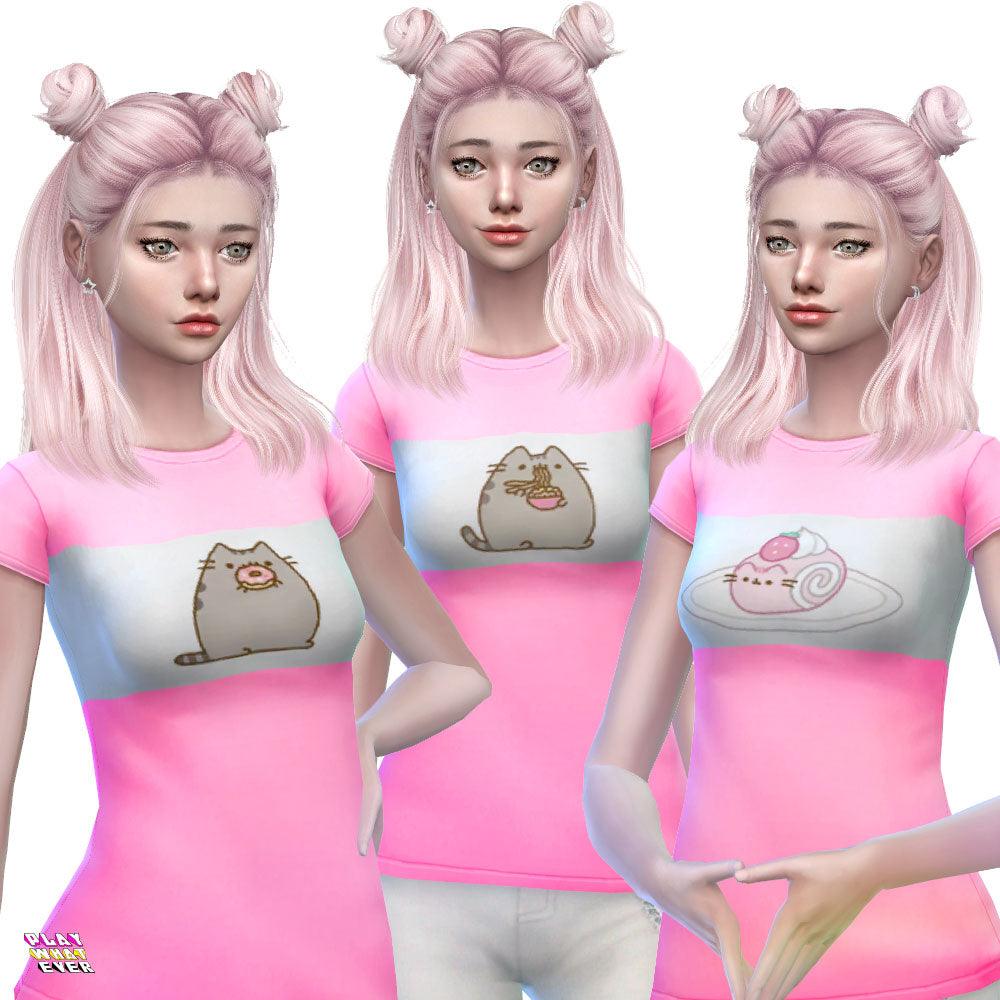
What's better than eating yummy sweets? Eating it with adorable cat Pusheen, of course! Download the Eating Pusheen shirt for your sims. Great for lounging around the house with a comfy pair of pajama shorts....
Product details ↓Description
What's better than eating yummy sweets? Eating it with adorable cat Pusheen, of course! Download the Eating Pusheen shirt for your sims. Great for lounging around the house with a comfy pair of pajama shorts. Total of 6 swatches, so total of 6 Pusheen eating various sweets on a light pink and white striped shirt.
Find more Pusheen Sims 4 CC by clicking here!
Download Disclaimer
This Sims 4 custom content uses a base-game mesh; no additional mesh download is required. Check the product description for what is included.
Download: Add the item to your cart and complete checkout. An account is optional. A cart containing only free downloads needs no payment. Your download is available after checkout, and a download link is emailed to you.
Installation on PC or Mac:
1. Close The Sims 4. If the download is an archive, extract it first.
2. Place the .package file(s) in Documents > Electronic Arts > The Sims 4 > Mods, using the folder your game created.
3. Open Game Options > Other and enable Custom Content and Mods. Apply the change and restart the game.
4. If the item is missing after a game update, check that custom content is still enabled and confirm the files are in the correct Mods folder.
For personal use only. Please do not redesign or reupload this content. Share the product page link instead.
Your next Sims look starts here.
New to PlayWhatever downloads? Here’s how to get your files.
- Add this download to your cart
Check the product description and Download Disclaimer for compatibility and requirements.
- Complete the free checkout
An account is optional. A cart containing only free downloads needs no payment.
- Download and enjoy
Your download is available after checkout. Follow the product’s installation instructions before adding it to your game.
Need a hand? Contact PlayWhatever.
Watch our original download walkthrough. Open on YouTube ↗
Bring your style into both worlds.
Discover designs to enjoy online and offline.